Start a fresh thread.
Select the events that matter and turn them into a focused checkpoint. Your next session begins with a goal and open work.
Review the source historyA fresh coding session shouldn’t mean starting over. Carry the decisions, evidence and open work into your next thread—even in another agent.
npx @mahekara28/context-relay@beta ui
Public npm beta · Node 22.16+ · New thread map shown here is a development preview
Decisions get buried, corrections compete, and unfinished work disappears into a chat. Relay makes the state of the task explicit before you move on.
Select the events that matter and turn them into a focused checkpoint. Your next session begins with a goal and open work.
Review the source historyKeep current instructions beside the evidence they cite. When checkpoints disagree, choose the resolution explicitly.
See the review stepOffer the reviewed packet through MCP, or take a readable Markdown export. The destination can inspect the evidence before accepting.
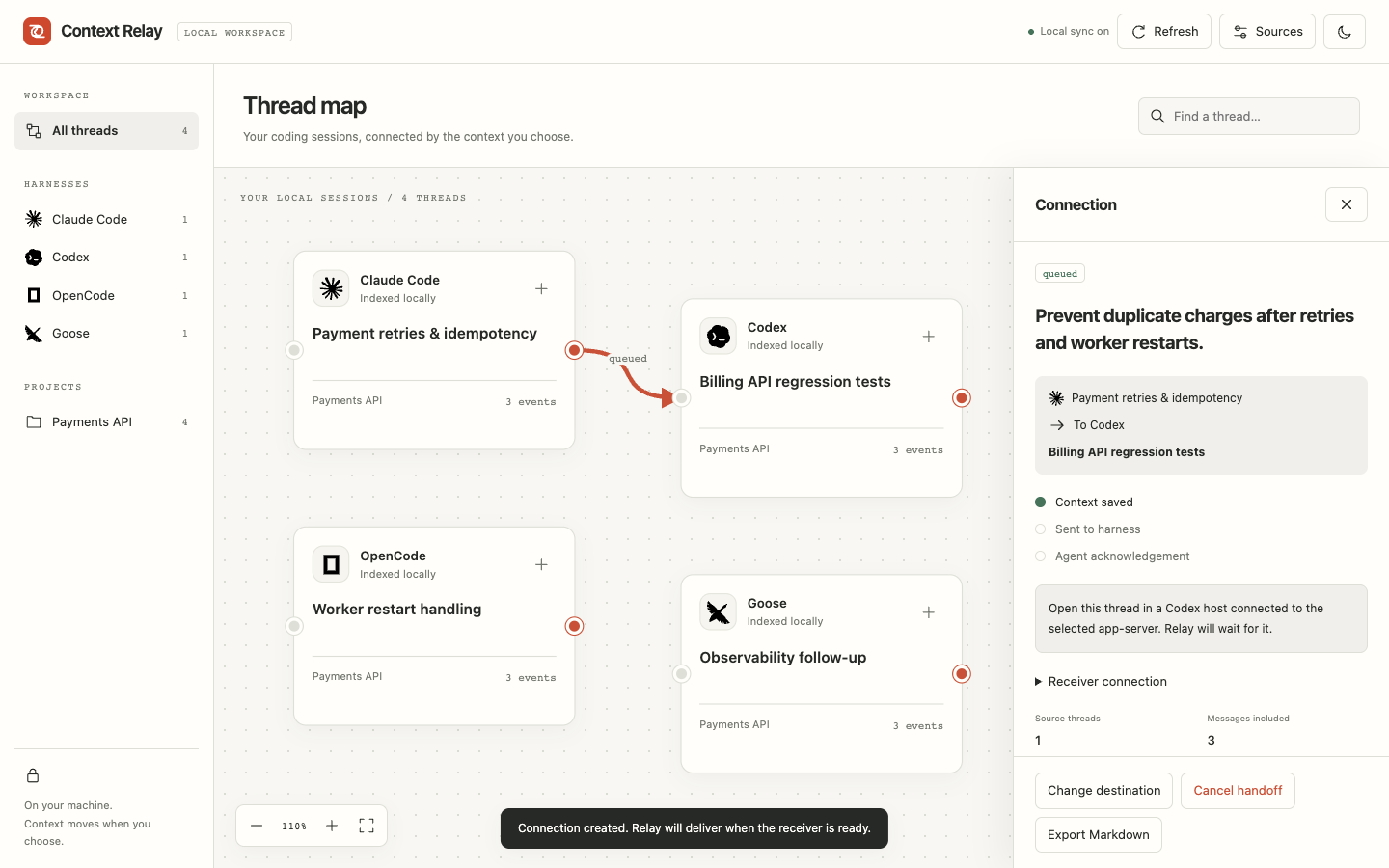
Choose the next agentThe new development dashboard discovers local threads, lets you connect them by dragging, and shows what was queued, sent and acknowledged. The public npm beta still ships the earlier workspace.
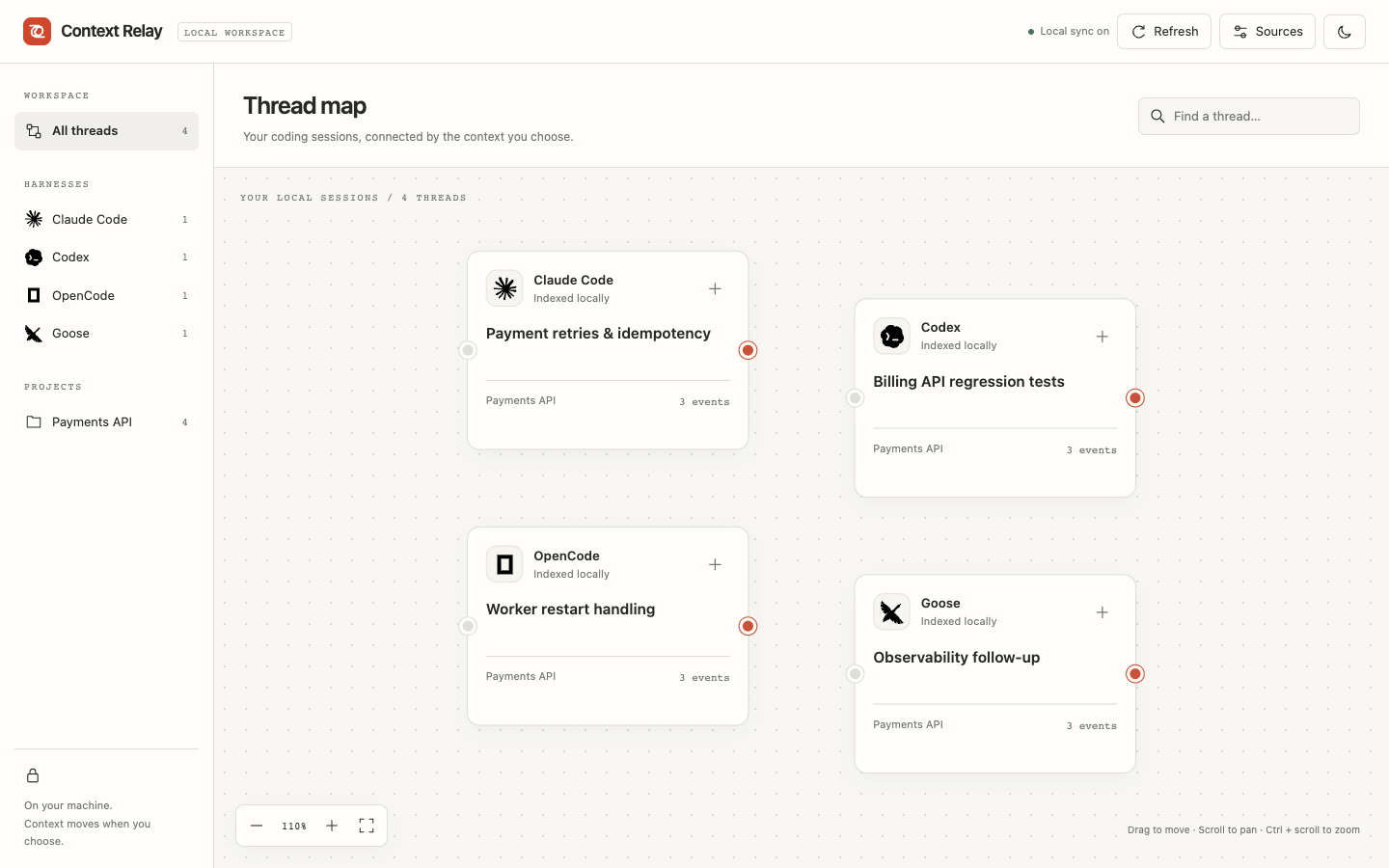
See indexed sessions from supported coding harnesses on one local canvas.
0.4.0-dev.0 preview · actual UI · synthetic sessionsA handoff carries the reviewed state of the work. Every checkpoint keeps references back to the history it came from.
Find local harness sessions and index completed turns in the background.
Claude Code · Codex · OpenCode · GooseDrag between thread cards, or use the card buttons, to choose a source and destination.
Local thread mapCheck the source messages and write the goal before connecting.
Evidence + destination + goalQueue an addressed handoff and see whether the receiver sent and acknowledged it.
Queued → sent → acknowledgedDirect delivery needs a receiver: Claude MCP Channel opt-in, a reachable Codex host, or the existing OpenCode server. Goose and unavailable receivers retain the MCP or Markdown fallback. An agent acknowledgement does not prove task completion.
Native adapters discover history. The graph holds reviewed connections; an outbox keeps delivery state until a receiver is ready.
 Claude Code
 Codex
 OpenCode
 Goose
JSONL · app-server · local API · JSON export
Claude Channel · Codex host · OpenCode API

Discover · Map · Review · Queue
Events, revisions, checkpoints and receipts.
Selected evidence · validated draft · your review.
Capture reads native history. MCP alone does not expose a harness’s chat history.
Receiver requirements matter. Claude uses an opted-in MCP Channel, Codex needs a reachable host, and OpenCode needs its existing local server. Goose has a manual fallback.
Connections stay scoped to a local project. Relay preserves unrelated settings and removes only its own managed entry when you disconnect.
Read project-matched transcripts. Add a project MCP connection and launch a fresh interactive continuation.
.mcp.json
Import completed turns through the native API. Continue from an addressed handoff in a fresh session.
.codex/config.toml
Read completed session messages from a loopback server. Use MCP or a portable Markdown packet.
opencode.json
Import native JSON exports. Enable the generated stdio extension command to receive context through MCP.
.relay/goose-mcp.json
Register your project, then use its returned ID.
relay project add --root /absolute/path/to/project
relay connect --project PROJECT_ID --harness claude
relay ui
Native formats can change. See the compatibility guide for source limits, OpenCode JSONC handling, Goose setup and Windows launch requirements.
Local storage and manual handoffs work without an API key. You choose when source evidence goes to a model provider.
Read the workspace guideThe service binds to 127.0.0.1. API access is authenticated, and the workspace stores its state in local SQLite.
Source references and recorded file hashes travel with the checkpoint. Recapture native sessions before relying on freshness.
Preview the selected evidence, approve the request, then review the validated draft. Model output cannot create a checkpoint on its own.
Native integrations have protocol and fixture coverage. Live cross-harness task-quality evaluation is still pending.
Read the verification reportInstall the public beta from npm, then open your local workspace. Node 22.16+ and npm are all you need.
The package bundles the CLI, MCP server and local interface. No Python, frontend setup or model API key is required after installation.
Use @beta for beta updates, or pin
@0.3.0-beta.1 for this exact release.
View on npm.
npm install --global @mahekara28/context-relay@beta
relay demo
relay ui
Open your workspace or inspect its service.
relay ui
relay status
Inspect the format, understand an adapter, or help improve the next release.
This website introduces the project. Your actual workspace runs
locally through relay ui. The website does not
connect to your local service, collect conversations or run
terminal commands.
You select source evidence and review a focused checkpoint containing the goal, current instructions, acceptance criteria and open work. Packets have a byte budget and disclose omitted evidence. Hidden model state is not transferred.
Capture adapters read a harness’s native history when requested. MCP lets a destination agent inspect Relay’s sources, retrieve a packet and accept an addressed handoff. Both use the same local service.
No. Manual checkpoints and handoffs are keyless. Optional Nebius drafts require a configured key and model, an evidence preview, explicit consent, and your review of the result.
No. Acceptance records delivery after checking the recipient, packet integrity, captured revisions and recorded file state. The receiving agent still needs to do the work and verify its results.
A local npm CLI and workspace, four capture adapters, MCP access, checkpoint review and merging, handoff receipts, Markdown export, and interactive Claude Code/Codex launch. Install the public npm beta globally or run it with npx. Live model-quality evaluation remains pending.